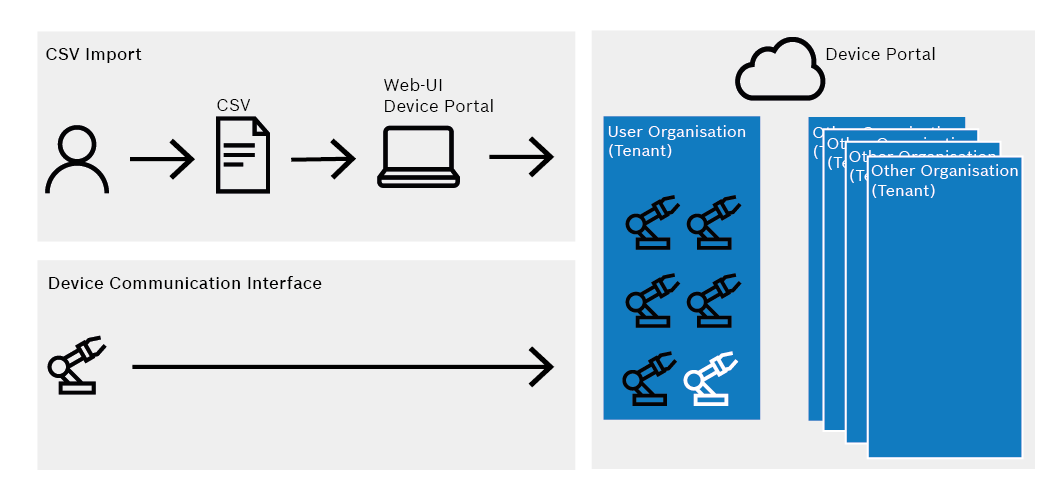
Devices can be registered in the Device Portal in a number of ways:
To register test devices, it is recommended that you register the device together with the Nexeed Helpdesk. In particular, if the device is to be communicated with later in the Device Portal. Basic Auth communication can be enabled directly for this device by the help desk.
The devices are imported via the web interface of the Device Portal using a predefined CSV file containing the device and all its information.
If the device has a communication interface, it can also register itself in the Device Portal after an appropriate implementation.