Registering a Module
A system administrator registers a module, such as the module of a third-party supplier, in the Nexeed Web Portal so that users of the Nexeed Web Portal can access the views created for that module.
Register View
The views created for a module are displayed in the Nexeed menu under Others and allow access to the module from the Nexeed Web Portal .
Requirements
Procedure
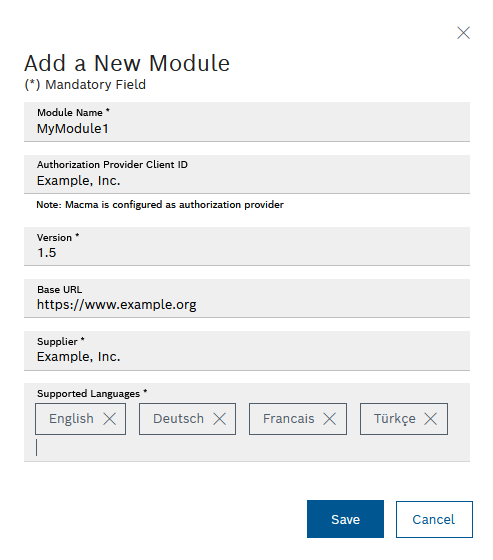
In the top right of the user menu, select the Web portal configuration menu item and the Module registration tab. Click The Add module dialog appears.
Enter details:Module name Specify a suitable name for the module.
Client ID of the authorization provider Specify the client ID provided by the Nexeed Multitenant Access Control module (menu item Access management ).
Adding a Module
Version Base URL Specify the home page of the module.
Vendor Specify the supplier of the module.
Supported languages Click in the Supported languages field and select the language(s) from the list.
To register the module, click Save . The module is registered and appears in the overview.
 .
.