 .
.The Add new view dialog appears.
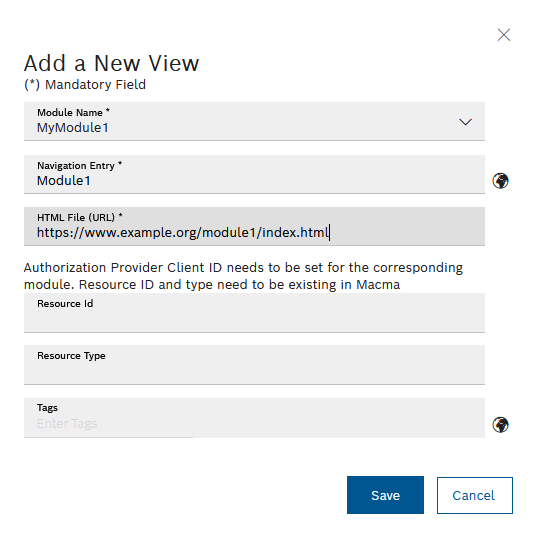
- Module name
Click in the Module name field and select a module that has already been registered from the drop-down list.
- Navigation entry
Enter a designation for the view that should appear in the Nexeed menu.
- HTML file (URL)
Specify a complete web address for the view.
- Resource ID
Resource ID from the Nexeed Multitenant Access Management module (access management).
- Resource type
Resource type from the Nexeed Multitenant Access Management module (access management).
- Tags
Enter keywords and end each entry with a comma or confirm by pressing the ENTER key.
The keywords can be used to find the view of the module via the search function and open it in the Nexeed menu.
Information can be edited later in the Edit view detailed view.
Edit View
 in the required row.